A Return to an Old Game, Without Chasing Completion
Replay an old game without chasing completion: choose one curiosity, set a comfortable stopping point, and enjoy a return that fits your mood.
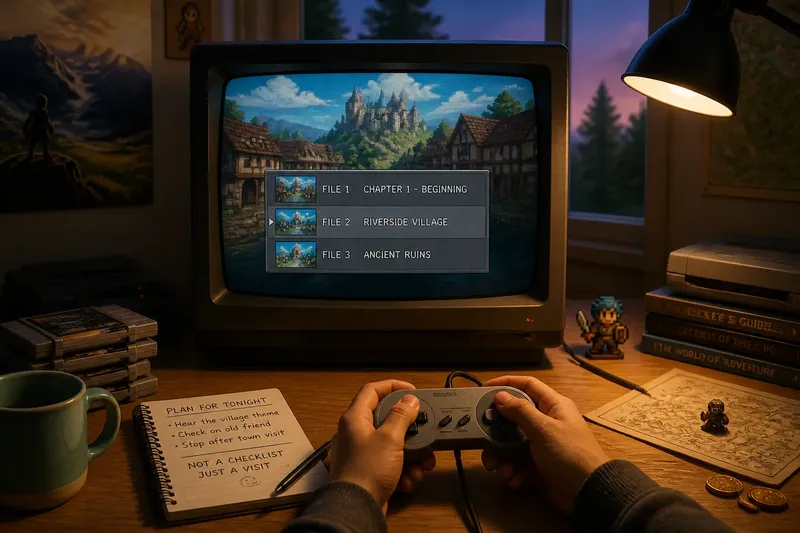
You load an old game to visit one familiar place, then notice the save menu has turned your evening into a choice between three old files. A relaxed replay starts before you press Continue: decide what kind of return you want, and what you are willing to leave untouched. You can enjoy the game without turning its unfinished corners into a debt.
What kind of return do you want?
Pick the experience you miss, not the largest task on the map. Maybe you want to hear a town’s music, revisit a level you loved, or remember how the opening introduces its characters. Naming that aim helps you choose a save file and keep the session focused.
Think of an old save like a bookmark in a novel. You do not have to reread every page to return to a scene that matters to you. If the opening is what you miss, start a new file. If you want one particular stretch, load the nearest suitable save instead.
Say you have two saves in a role-playing game: one at the start of a chapter and one near the village you remember. You want to hear the village theme and see whether a familiar character is still there. You load the village save, visit the character, and get the answer without replaying earlier chapters; the tradeoff is that you miss the story’s lead-in, which you can choose to revisit another time.
How do you choose a save without losing something important?
Before loading, check the game’s save descriptions, timestamps if available, and slot labels. Look for the location or story point you want, then confirm which file you are selecting. If the game uses a single save slot or warns that saving will overwrite data, pause before confirming and consult the manual or the game’s instructions.
- Check the location shown for each file. If one is near the place you want, load it; if none is, choose a new file or a broader chapter save instead.
- Check whether a save prompt says it will overwrite a slot. If it names a file you want to keep, cancel and select another slot; if the game offers no safe slot, avoid saving until you understand the options.
- Check whether the game has a password or continue code. If it does, keep the code somewhere you can retrieve it; if it does not, rely only on the save method the game provides.
- Check whether the console or emulator has a separate save-state feature. If its instructions explain how to create and restore one, decide whether that suits your visit; if the behavior is unclear, use the game’s own save system.
- Check whether the selected file contains the story point you want. If it does, load it; if it starts too far away, choose another file or decide whether the lead-in is part of the experience you want.
- Check whether you are comfortable changing the file after loading. If you want to preserve its current state, avoid overwriting it; if you are ready to continue from it, save only after confirming the destination.
These checks are not a demand to protect every file forever. They let you decide what is disposable and what you would rather keep. That distinction can make a casual visit feel much lighter.
How can you stop without turning the visit into a chore?
Choose an endpoint that fits the game’s structure. A stage-based game may offer a clean break after a level; a role-playing game may have a convenient save point in a town. If a game saves only at specific places, let that shape your plan rather than promising yourself a stop the game cannot support.
Set the endpoint before you begin, but allow yourself to change it. You might stop at the next hub, after a short scene, or once you have reached the place you came to see. If you are enjoying the game and have a safe save option, you can continue by choice. If you feel yourself pushing through just to clear another marker, stopping is a sensible outcome.
Imagine you load a platform game because you remember its opening stage, but the next save point is not available until the stage ends. You decide to play that stage and stop at its results screen. If you reach the screen and still feel like playing, you can choose another stage; if you are ready to quit, you have a clear exit without starting a larger campaign.
How do you keep a replay from becoming a completion project?
Use notes to remember what you enjoyed, not to build a second to-do list. A short phone note such as “visit the harbor scene” can help you pick up the thread next time. Leave out tasks you do not actually want, such as collecting every item or clearing every marker.
Guides and achievement menus can be useful when they serve a specific purpose. If a walkthrough helps you locate one remembered scene, read only what you need. If a list of collectibles makes the session feel like work, close it and return to the part of the game you chose for yourself.
When the game offers difficulty or accessibility options, use the settings that make the visit enjoyable. You can also choose a familiar level instead of pushing through a section you do not want to replay. A return is yours to shape; it does not have to resemble the original playthrough.
What should you do if you are unsure whether to restart?
Should I restart an old game or load a save?
Restart if the opening itself is what you want to revisit, or if you want the story’s setup again. Load a save if your interest is a particular level, character, or later chapter.
Can I replay just one level or area?
Yes. A single stage, town, or scene can be a satisfying return. You do not need to finish the campaign for the visit to count.
What if I cannot remember how to play?
Spend a little time with the controls in a safe area or an early stage. If the game has an instruction screen or manual, use it to refresh the basics; if the controls still feel uncomfortable, choose another way to enjoy the game or stop for now.
Should I use a walkthrough?
Use one when a specific obstacle is blocking the experience you want. Stop reading once you have the needed hint if discovery matters more to you than following a full route.
What makes a return to an old game feel worthwhile?
A good return can be as small as hearing a familiar theme or reaching a place you had not visited in years. You do not need to complete a quest, clear a map, or start from the title screen to enjoy the time you spent.
Before your next return to an old game, decide which save or scene you want and where you can comfortably stop. Keep those choices flexible. If the game leaves you wanting another visit, let that be an invitation—not an obligation to finish everything.